Global Settings
Introduction
Click on the Global Settings button to change the global settings for the tool.
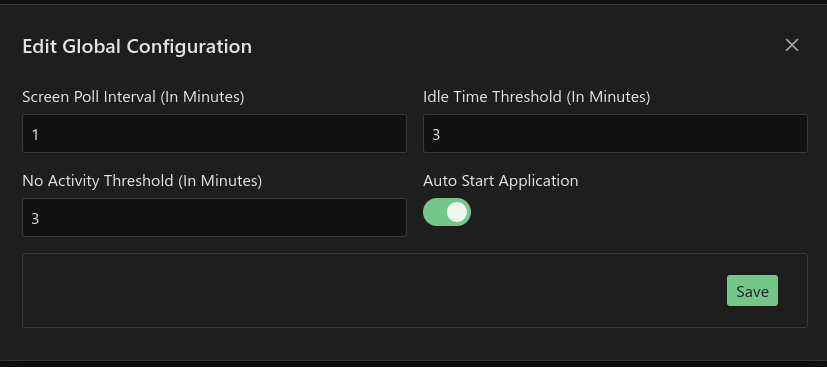
- Screen Poll Interval (In Minutes) - the time between polling for screen changes. e.g. if I selected 3 minutes then the tool would only check for active window changes every 3 minutes.
- Idle Time Threshold (In Minutes) - the number of minutes before marking time as idle
- No Activity Threshold (In Minutes) - the number of minutes before detecting that the computer/laptop was off
- Auto Start Application - Launch tool automatically when your user logs in
- Round Up Minutes - Add this number of minutes to to the base number of minutes (default 10). This prevents 5 minute tasks from being lost
- Round By Minutes - Divide the rounded up minutes by this value (default 15) to ensure more consisted time captured
Remember to select the Save button for your changes to take effect.
Warning
If you enable "Auto Start Application" but you disable the application in the Startup Apps in Windows Settings then Time Tracker will obey the windows settings and not start up.
Note
The formula for Rounded time is rounded = (original_Time + round_up_minutes) / round_by_minutes * round_by_minutes. Be default this will make 5 minutes 15 minutes and 51 minutes will round to 1 hour. They allow for more precise control over time tracking and can help to ensure consistency in reported times.